Download NetSpeedDisplay for Windows
Version 1.0.0, released 23 November 2026. Choose the installer or the portable ZIP. Free, no account, no administrator rights.

NetSpeedDisplay Installer
Recommended. Installs for the current user without administrator rights, upgrades in place and uninstalls cleanly.
- File
NetSpeedDisplay-1.0.0-Setup.exe- Size
- 2.37 MB (2,484,720 bytes)
- For
- 64-bit (x64) Windows 10 and 11
- SHA-256
0b34390d76d2819e0e5ffdddb61e0ef419225333be64de545014552c70868dd0
NetSpeedDisplay Portable ZIP
Unzip and run NetSpeedDisplay.exe from any folder. Nothing to install.
- File
NetSpeedDisplay-1.0.0-portable-x64.zip- Size
- 0.36 MB (377,583 bytes)
- For
- 64-bit (x64) Windows 10 and 11
- SHA-256
d3e5df4f541c49d53ffa405198d0933b5fb29fc04f001297bf2c605f4896542e
What you get
Installer
| File | What it is |
|---|---|
NetSpeedDisplay-1.0.0-Setup.exe | The installer (about 2.4 MB). Shows the license agreement, installs for the current user without administrator rights (an all-users install is offered) and can add a desktop shortcut and start with Windows. |
Portable ZIP (files at the top level)
| File | What it is |
|---|---|
NetSpeedDisplay.exe | The program (about 0.7 MB). One self-contained native file: unzip and run it from any folder. |
EULA.txt | The end-user license agreement. |
LICENSE-PROPRIETARY.txt | The proprietary software license. |
PRIVACY.md | What the program does and does not do with data. |
THIRD-PARTY-NOTICES.md | Notices for platform components. |
README.md | Short overview of the program. |
Before you run it
- Use the official source only. Download from the links on this page.
- Verify the checksum with the command below.
- Stop at security prompts. If Windows shows a warning, check that the file came from this page. Do not disable antivirus or SmartScreen to proceed.
- Read the license. NetSpeedDisplay is free proprietary software. Use it on any number of your own PCs, at home or inside your organisation. Please do not re-upload it to other download sites. See the license page.
Verify with PowerShell
Get-FileHash "$env:USERPROFILE\Downloads\NetSpeedDisplay-1.0.0-Setup.exe" -Algorithm SHA256
Get-FileHash "$env:USERPROFILE\Downloads\NetSpeedDisplay-1.0.0-portable-x64.zip" -Algorithm SHA256
Each result should match the SHA-256 value above for that file, or the line in SHA256SUMS.txt. If it does not, delete the file and download it again from this page.
License: Proprietary freeware (EULA) · read the license
What is new in 1.0.0
- New logo and app icon.
- Taskbar auto-fit: fits the taskbar height and never covers Start, app buttons, widgets, tray icons or the clock.
- Automatic width: no empty space next to the numbers.
- Speed on the desktop: a new, independent floating readout with its own settings.
- Lock position in the right-click menu.
- Check for updates opens the download page directly.
- Settings redesigned: separate Taskbar, Desktop and Dashboard tabs, and a new Apply button.
- Automatic update check removed: the app now makes no network connections.
- Completed End-User License Agreement shown during installation.
Not in 1.0.0 yet
- Internet speed test (ping and latency), planned
- Usage charts by day or month and custom date ranges
- Notifications when daily or monthly data limits are reached (limits can already be stored)
- Live speed drawn inside the tray icon
- In-app automatic update installation
- ARM64 build
Setup, step by step
Installer or portable?
Installer
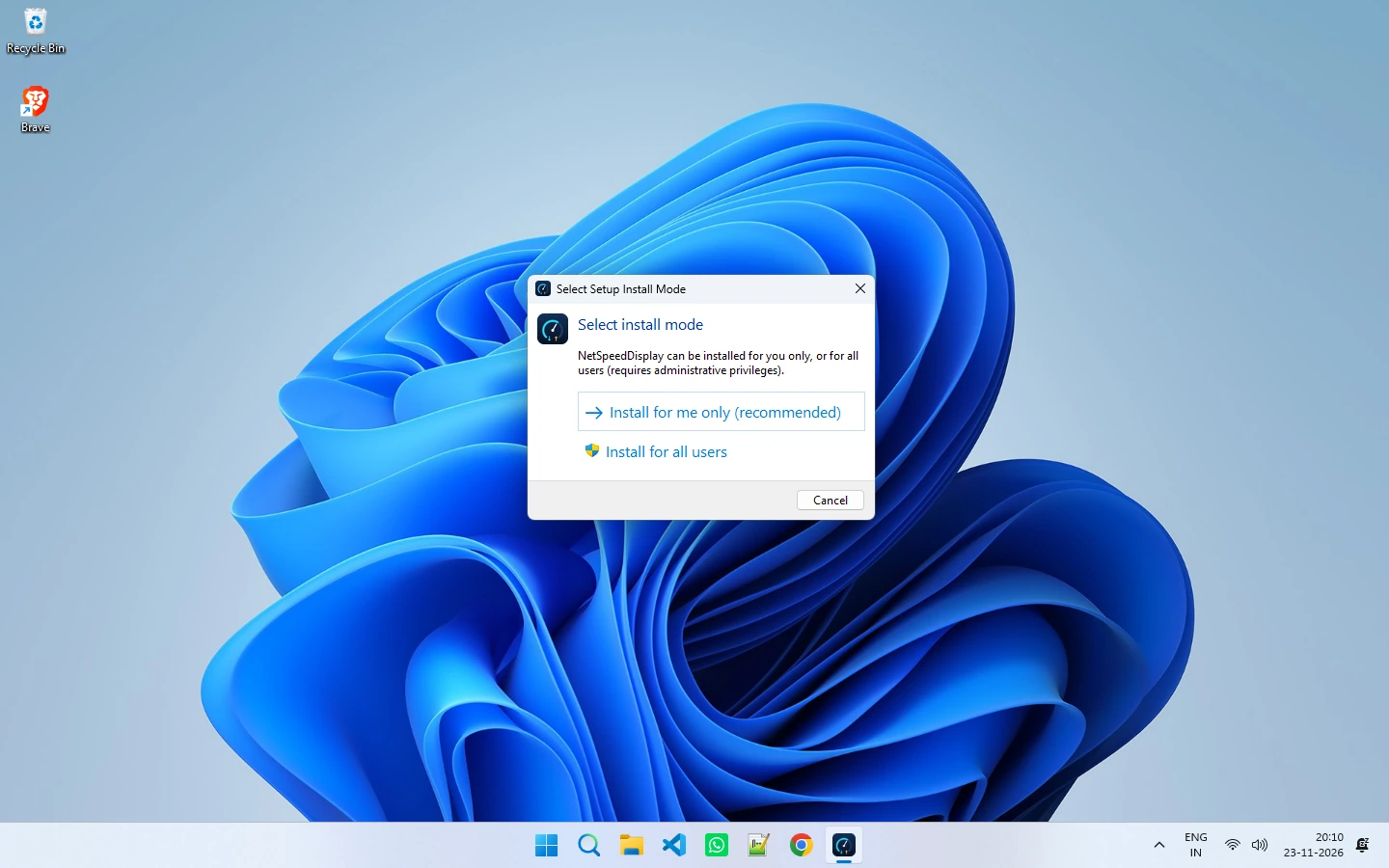
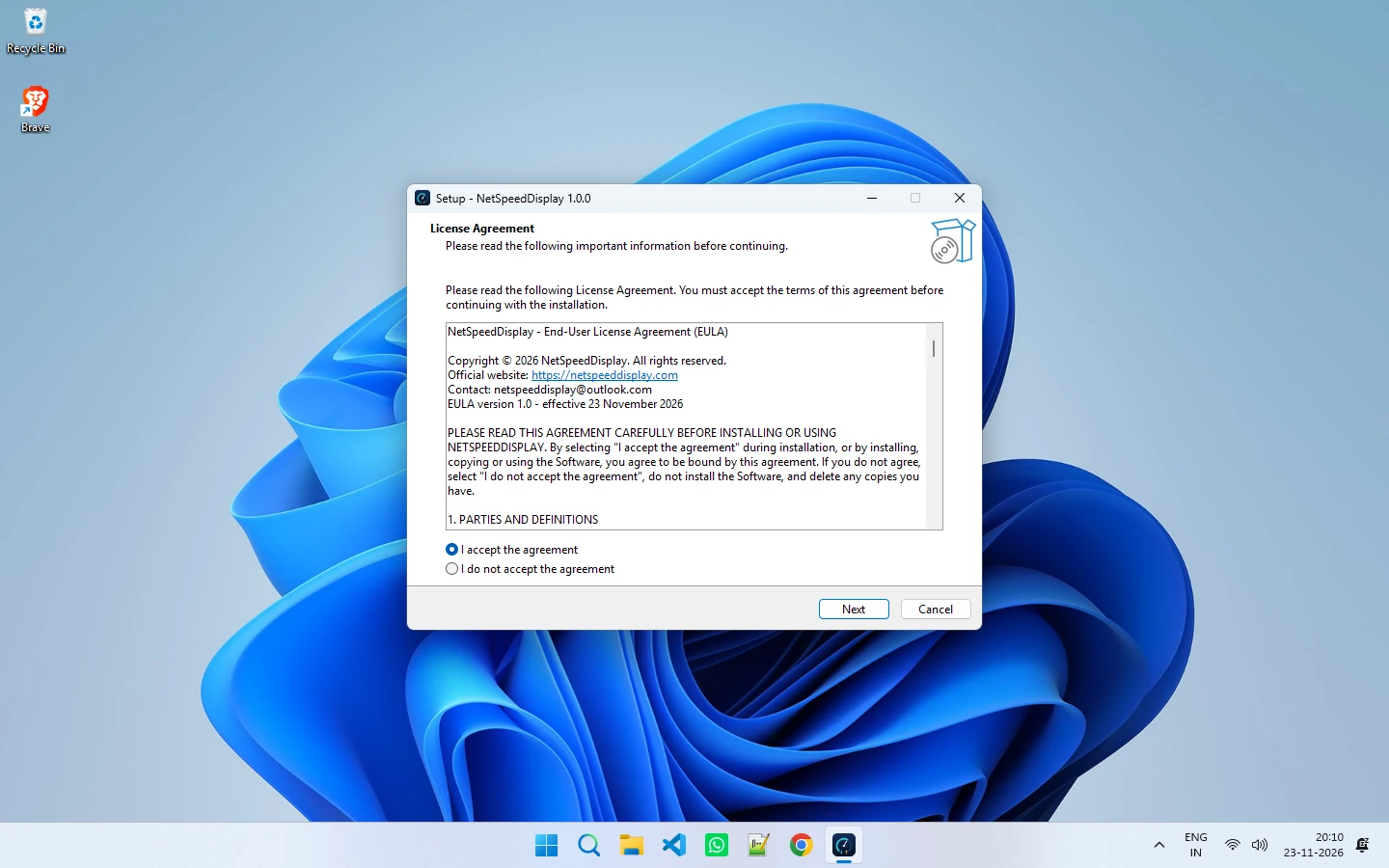
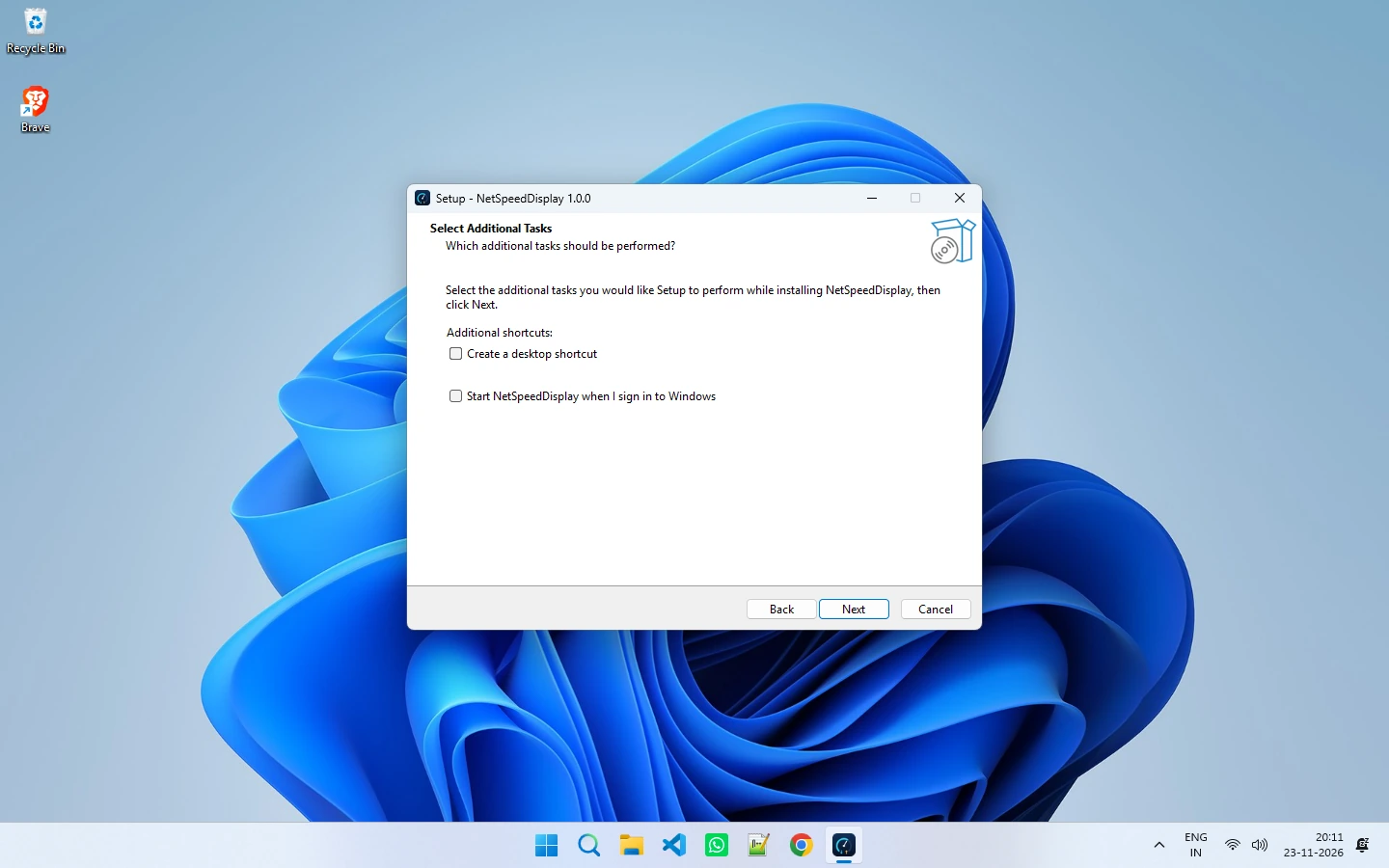
Run NetSpeedDisplay-1.0.0-Setup.exe. Choose Install for me only (no administrator rights) or Install for all users, accept the license, and optionally add a desktop shortcut and start with Windows. Running a newer setup upgrades in place. See the installation guide.
Portable
Unzip anywhere and run NetSpeedDisplay.exe. It is a single self-contained file. Settings are stored in %APPDATA%\NetSpeedDisplay. See portable mode.
Do I need administrator rights?
No. The default install is for the current user only. Only the optional all-users install asks for them.
Does it send data anywhere?
No. The app makes no internet connections at all. Check for updates simply opens this page in your browser, and the app never downloads or installs anything by itself. See privacy.
Questions before you download?
Read the FAQ or email [email protected]. There is no web form or ticket system.