
Speed looks doubled with a VPN or virtual machines
If the readout seems too high, a VPN or virtual adapter may be counted twice. Select the right adapters to get a true reading.
You watch a download at 20 MB/s, but NetSpeedDisplay shows far more. A VPN or virtual machine adapter is the usual cause.
Why it happens
A VPN carries your data inside a virtual adapter, then sends it encrypted over your real adapter. Counting both shows nearly double the traffic. Virtual machine software adds more adapters that can do the same.
The fix
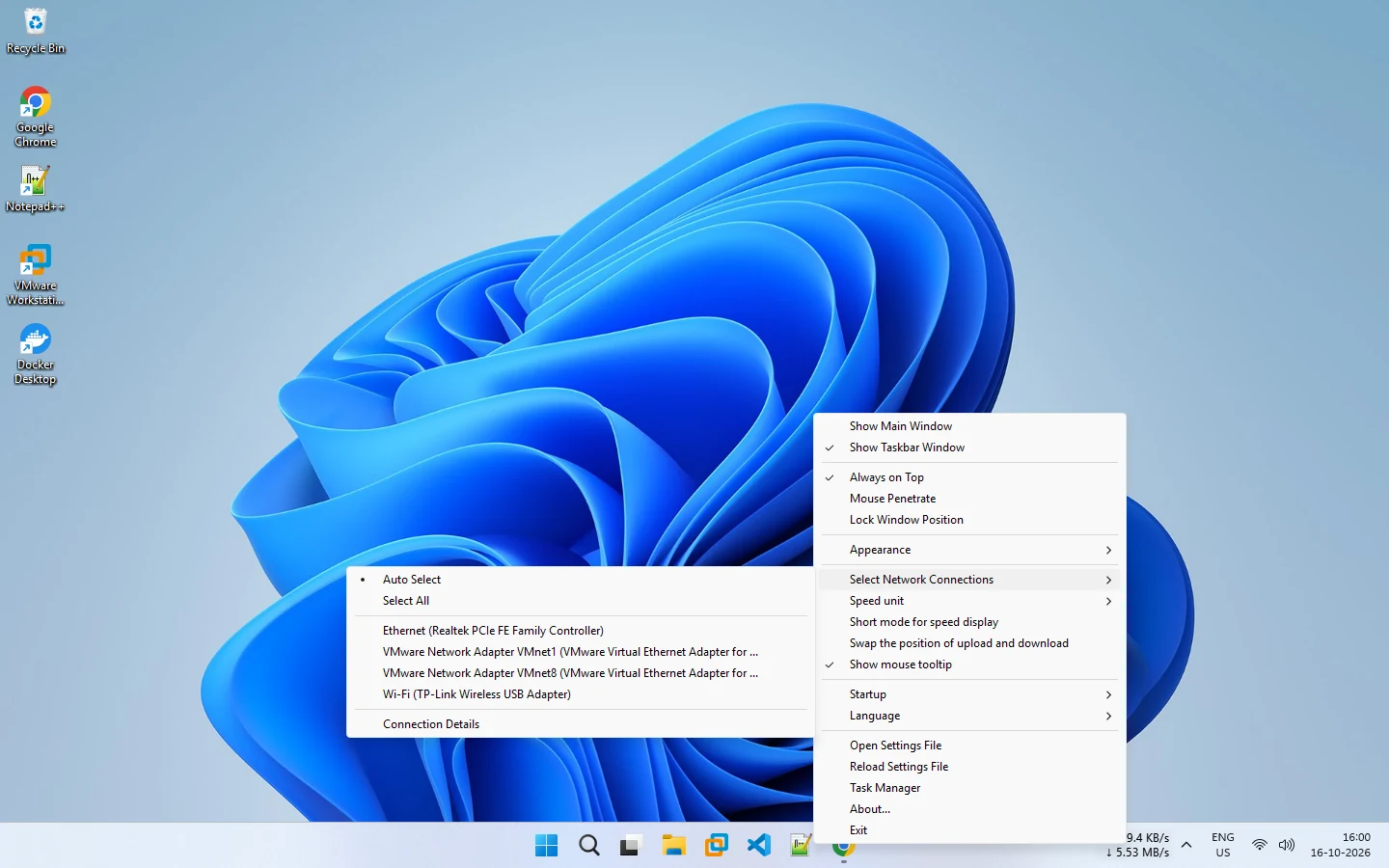
- Right-click the display and open Select Network Connections.
- Choose Auto Select, which counts physical adapters by default.
- Or untick virtual adapters by hand and keep your Wi-Fi or Ethernet adapter ticked.
Check the result
Start a download of known speed and compare. If the numbers now match what your downloader shows, you are done.
The opposite problem
If the display now reads zero with a VPN on, the traffic may be on the VPN adapter. Select that adapter instead. See zero or incorrect speed readings.
Units
Also confirm you are comparing the same units, since a factor of eight looks like a bug. See Mbps to MB/s.
More background: monitoring network speed with a VPN and VPN adapters explained.
Related pages
Network adapter selection
Let NetSpeedDisplay count physical adapters automatically, or pick the Wi-Fi, Ethernet or VPN adapters to measure.
Monitoring network speed when you use a VPN
A VPN adds a virtual adapter and changes what a speed meter sees. Learn how to read your speed correctly and avoid double counting.
Published 2026-10-17