
Monitoring network speed when you use a VPN
A VPN adds a virtual adapter and changes what a speed meter sees. Learn how to read your speed correctly and avoid double counting.
A VPN encrypts your traffic and sends it through a virtual adapter. That changes how a speed meter should read your connection.
What happens to your traffic
With a VPN on, your data travels twice in a sense: once inside the tunnel (on the virtual VPN adapter) and once as encrypted packets over your real Wi-Fi or Ethernet adapter. If a meter adds both, the numbers look doubled.
How NetSpeedDisplay handles it
By default it counts physical adapters, so VPN and virtual adapters are not double counted. You can change this in Select Network Connections: choose Auto Select, Select All, or tick the adapters you want.
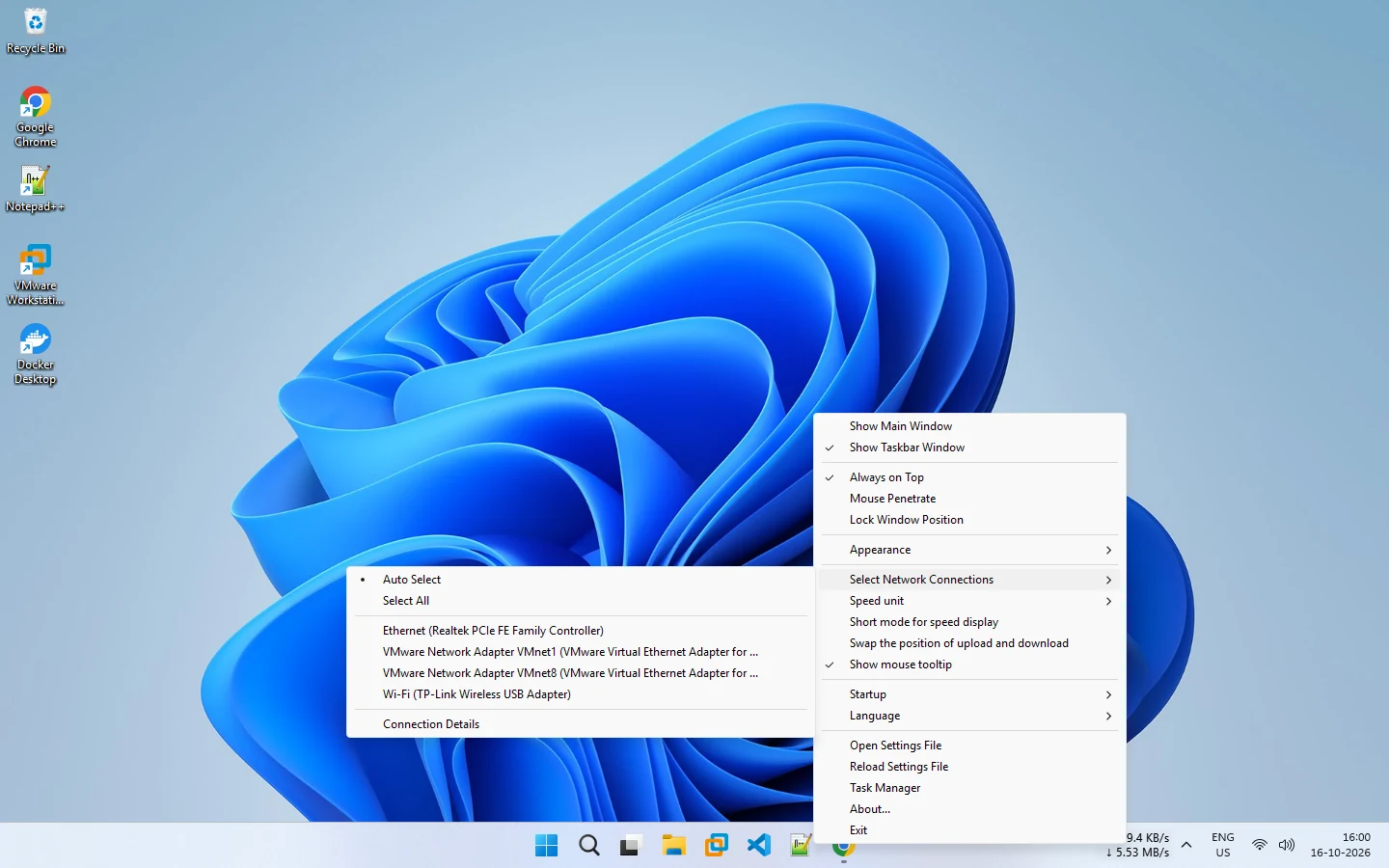
Which setting should you use?
| Goal | Selection |
|---|---|
| Overall use of your physical link | Auto Select |
| Traffic inside the tunnel only | The VPN adapter |
| Everything, knowing it may double count | Select All |
Why speeds drop with a VPN
Encryption overhead, a distant server and the VPN provider’s own load can lower throughput. To see the effect, download the same file with the VPN on and off and compare your readout.
If the display reads zero
Some VPN setups route traffic in ways that move it to a different adapter. Try selecting the VPN adapter. See zero or incorrect speed readings.
Background
VPN network adapters explained describes why the extra adapter exists, and Windows network adapters explained covers the rest.
Related pages
VPN network adapters explained
Why VPNs change what your network monitor shows.
Network adapter selection
Let NetSpeedDisplay count physical adapters automatically, or pick the Wi-Fi, Ethernet or VPN adapters to measure.
Published 2026-10-17