
Mbps to MB/s conversion table for internet speeds
Convert internet plan speeds in megabits per second to the megabytes per second you see in downloads, with a quick table and the rule behind it.
Internet providers advertise speeds in megabits per second (Mbps). Browsers, download managers and many Windows tools show megabytes per second (MB/s). There are eight bits in a byte, so the two differ by a factor of eight.
The rule
Divide Mbps by 8 to get MB/s. Multiply MB/s by 8 to get Mbps.
Quick table
| Plan speed (Mbps) | Theoretical MB/s |
|---|---|
| 10 | 1.25 |
| 25 | 3.1 |
| 50 | 6.25 |
| 100 | 12.5 |
| 200 | 25 |
| 300 | 37.5 |
| 500 | 62.5 |
| 1,000 (1 Gbps) | 125 |
Why real downloads land a little lower
The table shows the theoretical maximum. Real transfers carry protocol overhead, share the connection with other devices and depend on the server. A file download on a 100 Mbps plan often settles somewhat below 12.5 MB/s, and that is normal.
Reading a speed display
NetSpeedDisplay can show bytes (MB/s) or bits (Mb/s). The capital B means bytes and the lowercase b means bits. If you want to compare the display with your plan, switch the Speed unit to bits.
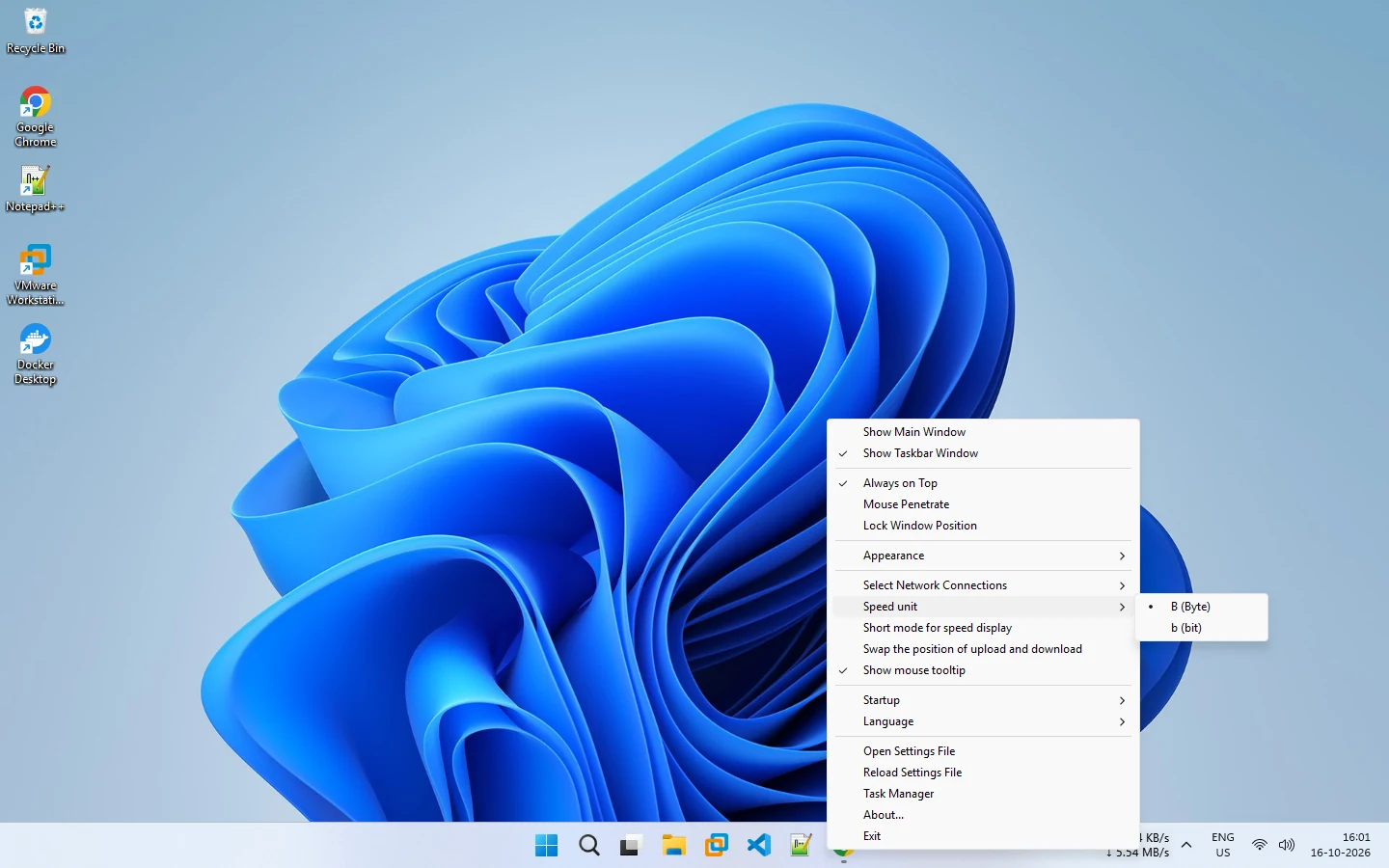
If your readout seems eight times too small or too large, you are probably comparing different units. Read KB/s, MB/s and Mbps explained for the full background, and the glossary for related terms.
Related pages
KB/s, MB/s and Mbps explained
Why internet speeds use different units and how to convert them.
Bytes or bits: MB/s or Mb/s
Choose whether NetSpeedDisplay shows speed in megabytes per second or megabits per second, with an optional short format.
Published 2026-10-17