
Languages
Switch NetSpeedDisplay between its included languages at any time without restarting.
NetSpeedDisplay includes many languages. Open Language in the right-click menu.
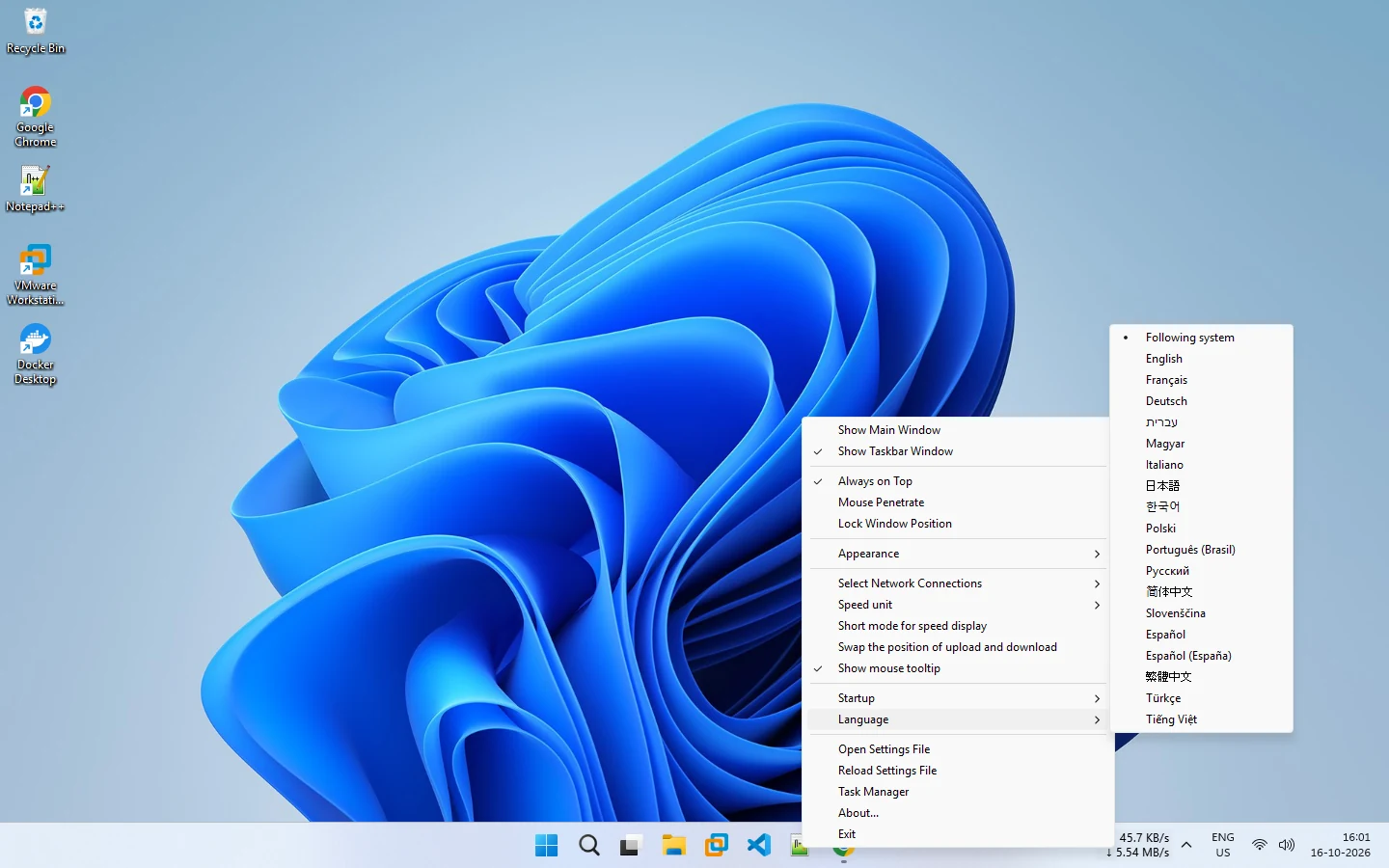
- Following system uses your Windows language.
- Or choose one directly: English, Français, Deutsch, עברית, Magyar, Italiano, 日本語, 한국어, Polski, Português (Brasil), Русский, 简体中文, Slovenščina, Español, Español (España), 繁體中文, Türkçe and Tiếng Việt.
The change applies immediately, with no restart. When running the portable program, keep the language folder next to NetSpeedDisplay.exe, or the language list will not be available.
Related pages
Multi-language interface
NetSpeedDisplay includes many languages, and you can switch language at any time without restarting.
Portable mode
Run NetSpeedDisplay from any folder, with settings kept next to the program.
Published 2026-10-14 · Updated 2026-10-16