
Multi-language interface
NetSpeedDisplay includes many languages, and you can switch language at any time without restarting.
The interface ships with many languages, and you can switch at any time without restarting.
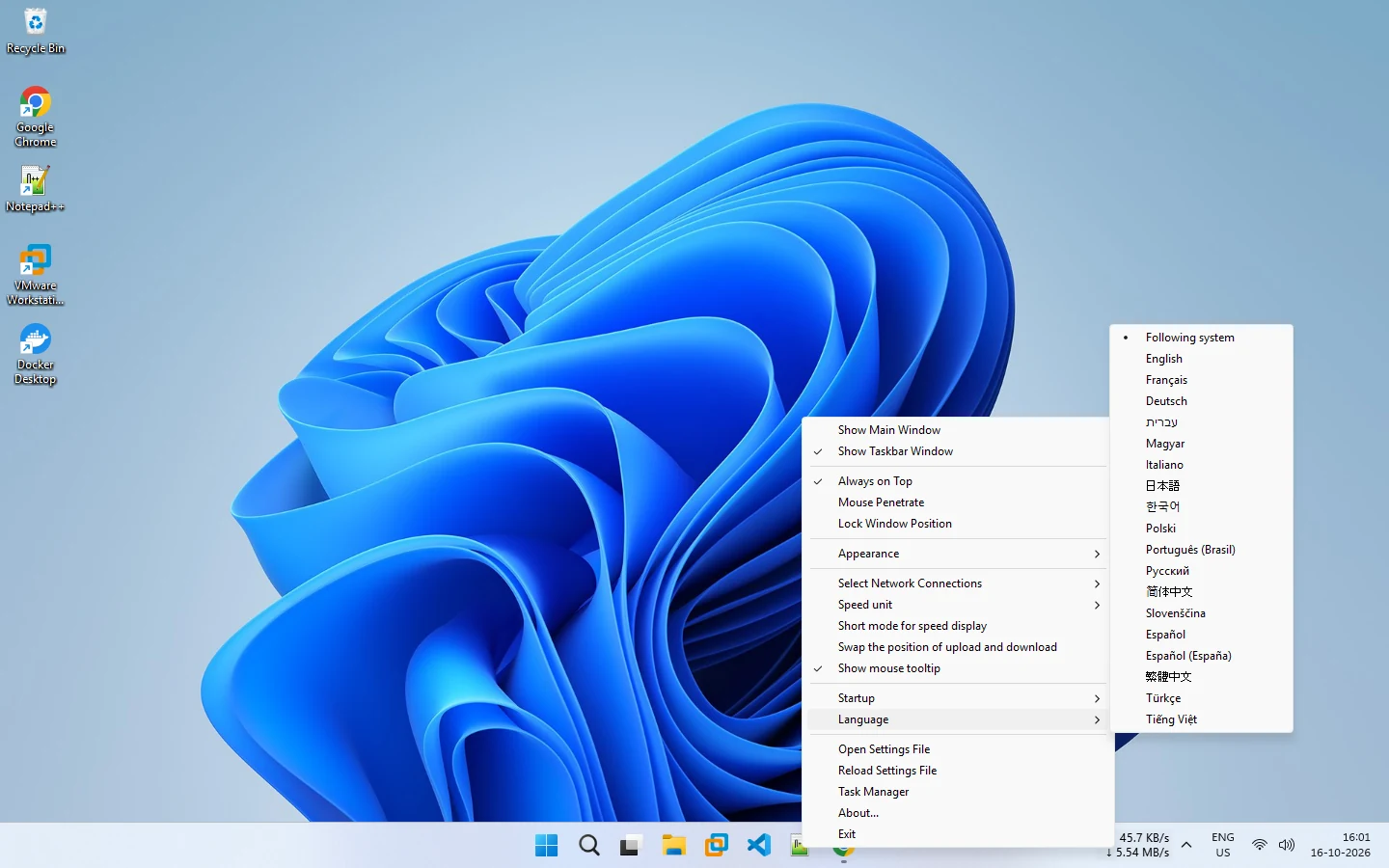
Choose Following system to use your Windows language, or pick English, French, German, Hebrew, Hungarian, Italian, Japanese, Korean, Polish, Portuguese (Brazil), Russian, Simplified Chinese, Slovenian, Spanish, Traditional Chinese, Turkish or Vietnamese.
When you run the portable program, keep the language folder next to NetSpeedDisplay.exe. See languages.
Related pages
Languages
Switch NetSpeedDisplay between its included languages at any time without restarting.
Configuration
Right-click the speed display or the tray icon to change the font, colors, units, network adapters, startup and language.
Published 2026-10-14 · Updated 2026-10-16