
Font and color customization
Right-click the speed display to change the font, size, bold, text and background colors, opacity and units.
Make the display match your desktop from the right-click menu. Open Appearance and change:
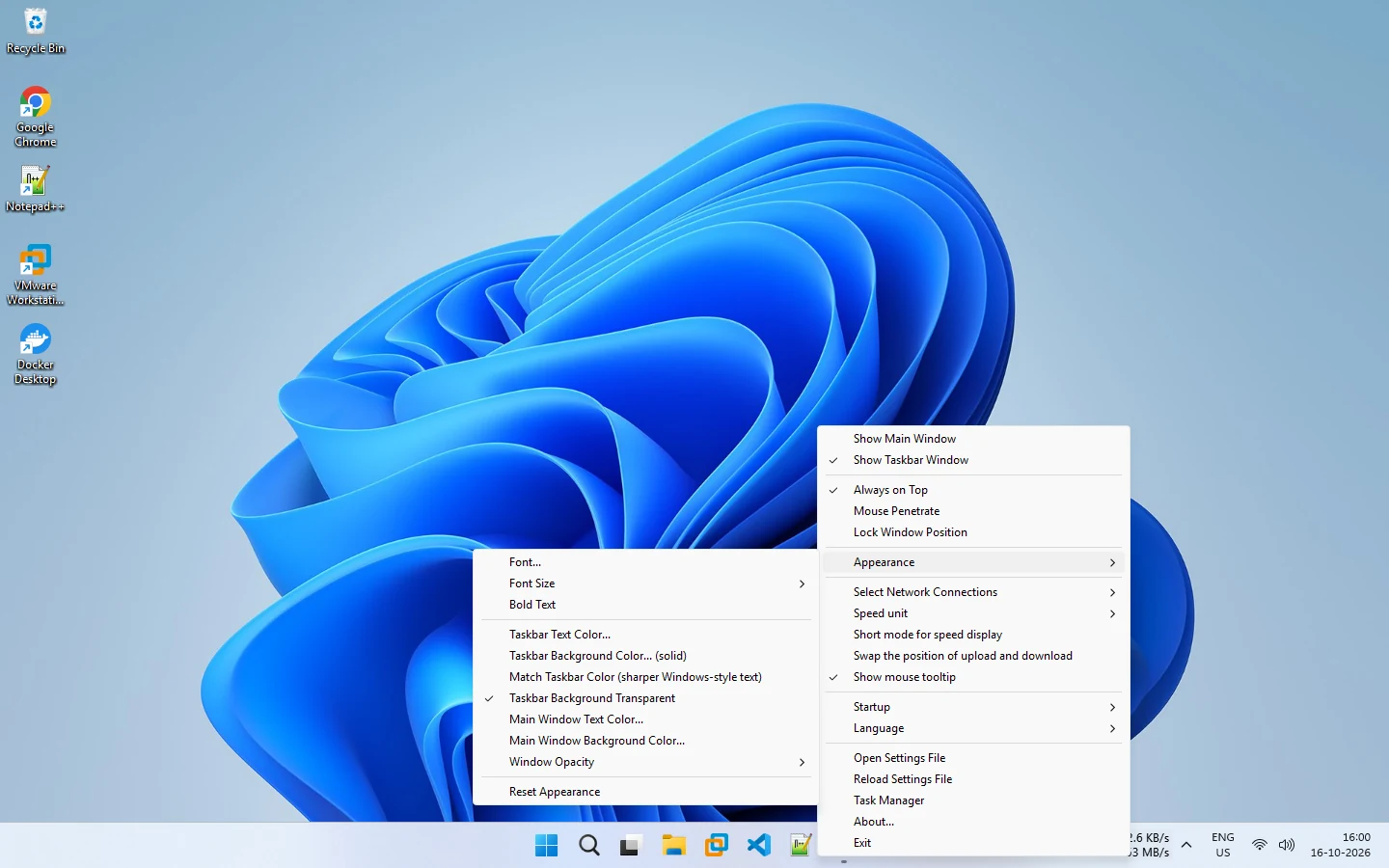
- Font, Font Size and Bold Text
- Taskbar text and background colors, or Match Taskbar Color for sharper text
- Main window text and background colors
- Window Opacity, and Reset Appearance if you want to start over
Smooth, per-pixel transparent text keeps the numbers sharp on light, dark and translucent taskbars. See customization.
Related pages
Appearance customization
Change the font, size, bold, taskbar and main window colors and opacity from the Appearance menu of NetSpeedDisplay.
Configuration
Right-click the speed display or the tray icon to change the font, colors, units, network adapters, startup and language.
Published 2026-10-14 · Updated 2026-10-16