
Short mode for a more compact speed display
Use short mode to shrink the speed text, which helps on small taskbars, narrow layouts and crowded notification areas.
Space on a taskbar is limited. Short mode for speed display uses a more compact format for the numbers and units.
When to use it
- Your taskbar is crowded.
- You use a small laptop screen.
- You want a smaller floating window.
- You find the full format too busy.
How to turn it on
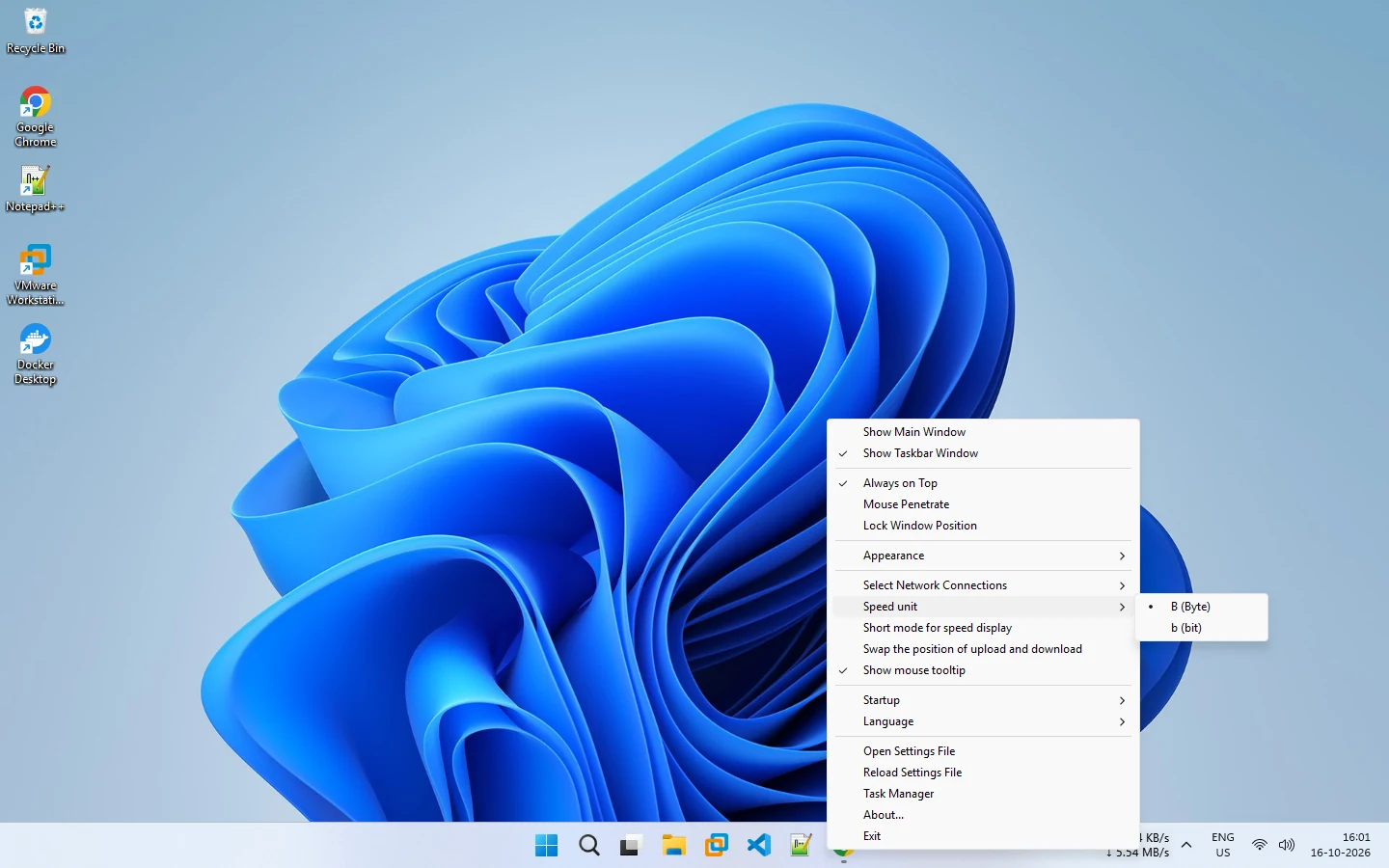
Right-click the display and tick Short mode for speed display. Untick it to return to the full format.
Check the units
Short mode works with the Speed unit option. You can still choose bytes (B) or bits (b). Make sure you know which one you are reading. See bytes or bits and the unit conversion table.
Tips for tiny layouts
- Use short mode.
- Reduce the font size in Appearance.
- Consider the swap upload and download position option so the value you care about comes first.
- If the taskbar still feels cramped, use the floating window instead.
See the compact display setup guide for a full walk-through.
Related pages
How to configure a compact speed display
Set up a small, readable speed display on the taskbar or in a floating window.
Bytes or bits: MB/s or Mb/s
Choose whether NetSpeedDisplay shows speed in megabytes per second or megabits per second, with an optional short format.
Published 2026-10-17