
Window opacity for the floating window
Make the floating speed window more or less see-through. Choose an opacity that stays readable without blocking what is behind it.
A solid window is easy to read but hides what is under it. A see-through window is subtle but can be harder to read. The Window Opacity setting lets you choose.
Where to find it
Right-click the display, open Appearance and choose Window Opacity.
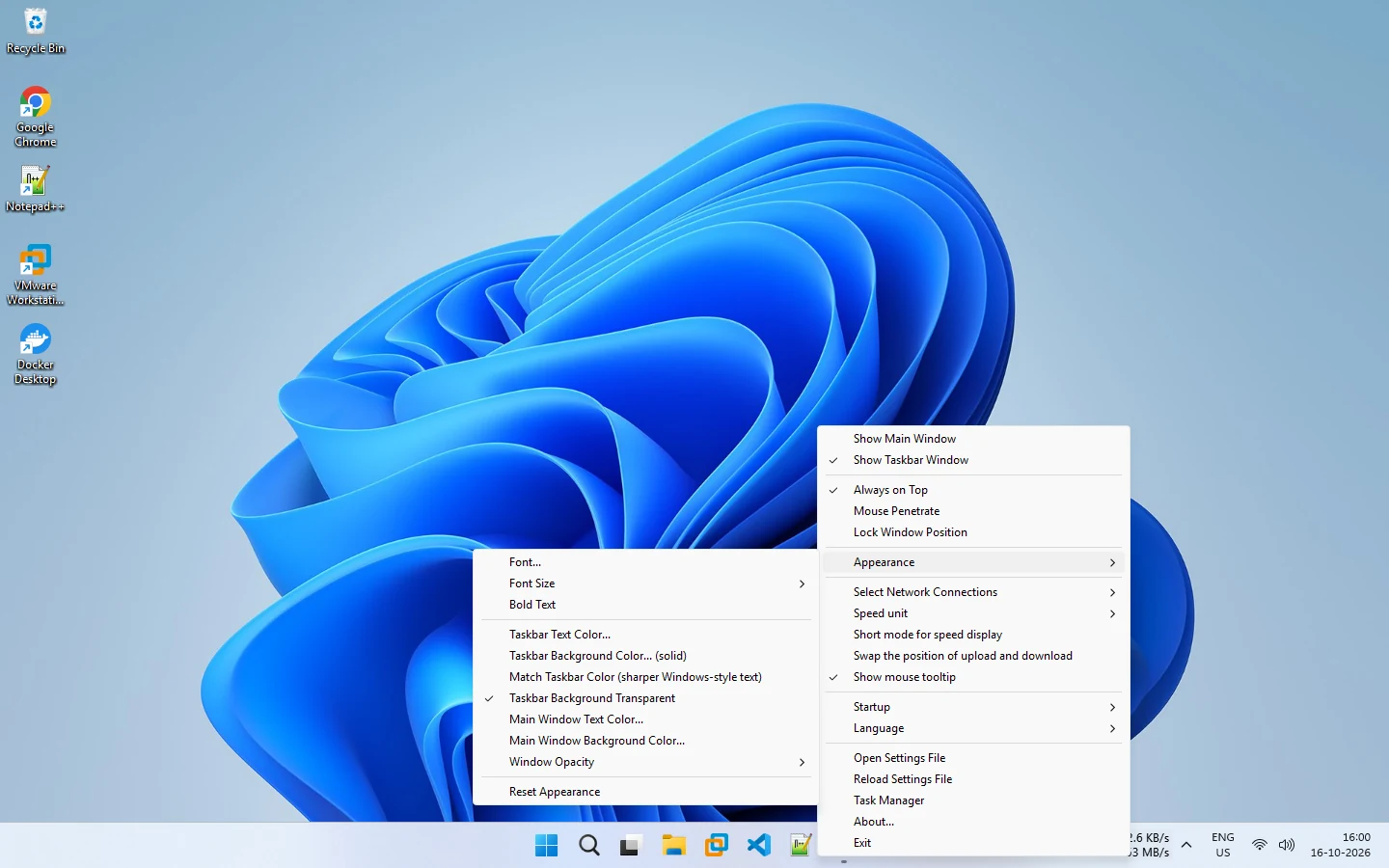
Choosing a level
- High opacity: best for readability on busy backgrounds.
- Medium opacity: a good balance for most desktops.
- Low opacity: a light overlay that works best with a high-contrast text color.
Try each level against your normal wallpaper and your most-used apps.
Pair it with colors
Low opacity needs strong text color contrast. Change the main window text and background colors in Appearance if the numbers fade out. See font and color customization.
Pair it with click-through
For an overlay that does not interfere, combine low opacity, Always on Top and Mouse Penetrate.
Resetting
If you make the window hard to see, use Reset Appearance in the same menu to return to the defaults.
See the customization guide for every appearance option.
Related pages
Appearance customization
Change the font, size, bold, taskbar and main window colors and opacity from the Appearance menu of NetSpeedDisplay.
Font and color customization
Right-click the speed display to change the font, size, bold, text and background colors, opacity and units.
Published 2026-10-17