
Start with Windows or as a service
Start NetSpeedDisplay when you sign in, or run a small background service that starts it for every user and restarts it if it stops.
Choose how NetSpeedDisplay starts from Startup in the right-click menu:
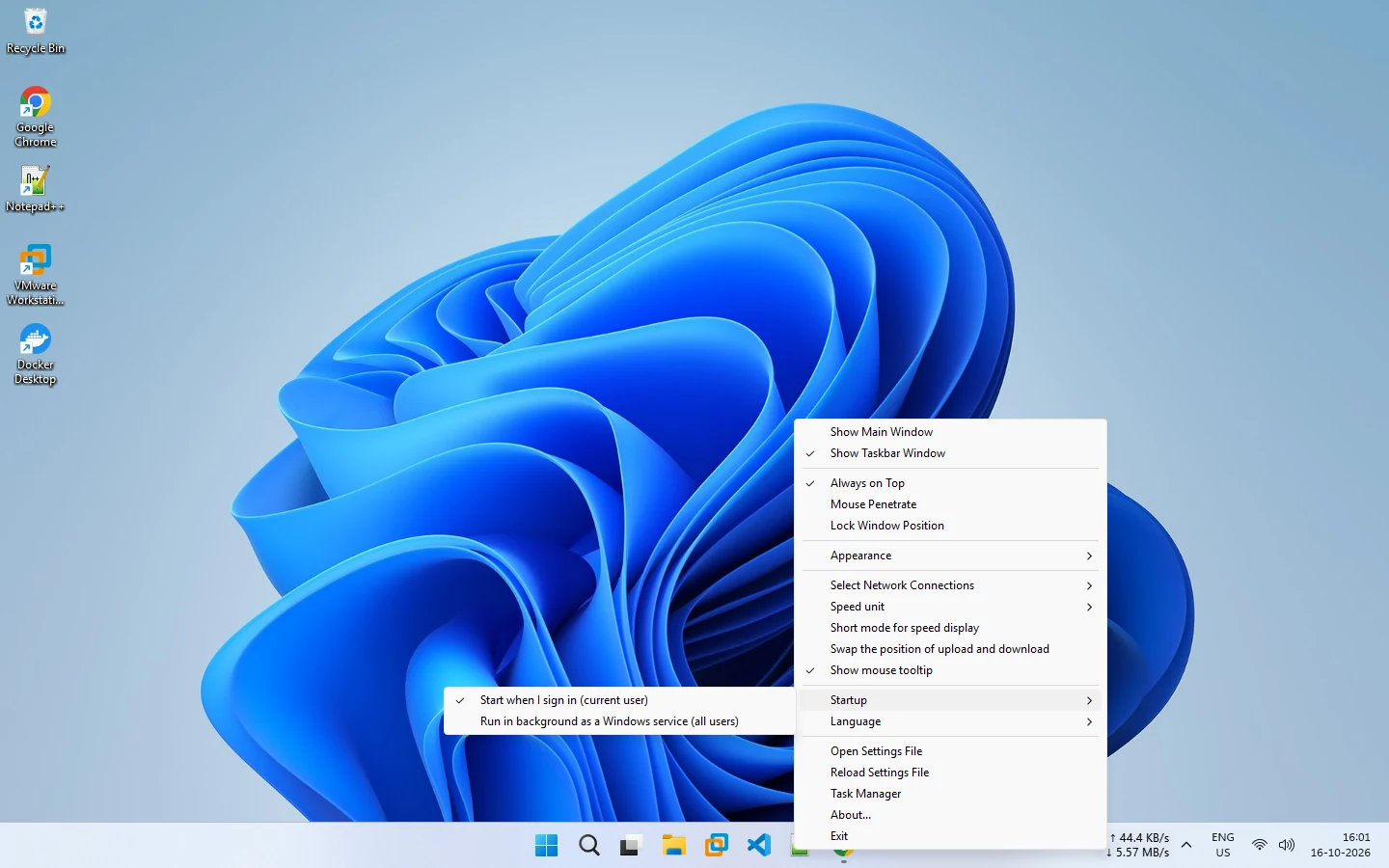
- Start when I sign in (current user): no administrator rights needed.
- Run in background as a Windows service (all users): starts it for every user and restarts it if it stops. Needs administrator rights.
- Or neither, and start it yourself.
The setup wizard asks on its Startup page too. See startup settings.
Related pages
Published 2026-10-14 · Updated 2026-10-16