
Net Speed Check: What Net Speed Means and How to Check It on Your PC
Net speed explained: download, upload and ping, Mbps vs MB/s, what a good net speed is, how to run a net speed check, and how to watch your net speed live on Windows.
Net speed is the everyday name for internet speed: how quickly data moves between your device and the internet. A net speed check usually means running a speed test. This page explains the numbers, how to check them on a PC or laptop, and how to keep your net speed visible all day.
The three numbers in a net speed check
| Number | What it means | Matters for |
|---|---|---|
| Download (Mbps) | Data coming to you | Streaming, browsing, game downloads |
| Upload (Mbps) | Data you send | Video calls, cloud backup, live streaming |
| Ping / latency (ms) | Time for a round trip | Online games, calls; lower is better |
Mbps, MB/s and KB/s
Internet plans use Mbps (megabits per second). Downloads in Chrome, Steam or Windows show MB/s (megabytes per second). One byte is 8 bits:
- 8 Mbps ≈ 1 MB/s
- 40 Mbps ≈ 5 MB/s
- 100 Mbps ≈ 12.5 MB/s
- 1 Gbps ≈ 125 MB/s
Full table: Mbps to MB/s conversion. Converter: Mbps to MB/s. What KB/s means: KB/s explained.
How to check net speed on a PC
- Windows 11: right-click the network icon → Perform speed test. See Windows 11 built-in speed test.
- Any browser: open a speed test website and press start.
- Live speed now: Task Manager → Performance → Wi-Fi/Ethernet, or a taskbar net speed meter.
Step-by-step: how to check internet speed on a laptop.
What is a good net speed?
| Speed | What it handles comfortably |
|---|---|
| 5–10 Mbps | One person browsing, email, SD video |
| 25 Mbps | HD streaming and a video call |
| 50–100 Mbps | A family streaming, gaming and working |
| 200 Mbps–1 Gbps | Large downloads, many devices, 4K on several screens |
Check yours: is my internet speed good? and what is a good internet speed.
Net speed check vs live net speed
A speed test shows the maximum your line can do for a few seconds. Your actual net speed changes every second depending on what you are doing. To see that, keep a live meter on screen:
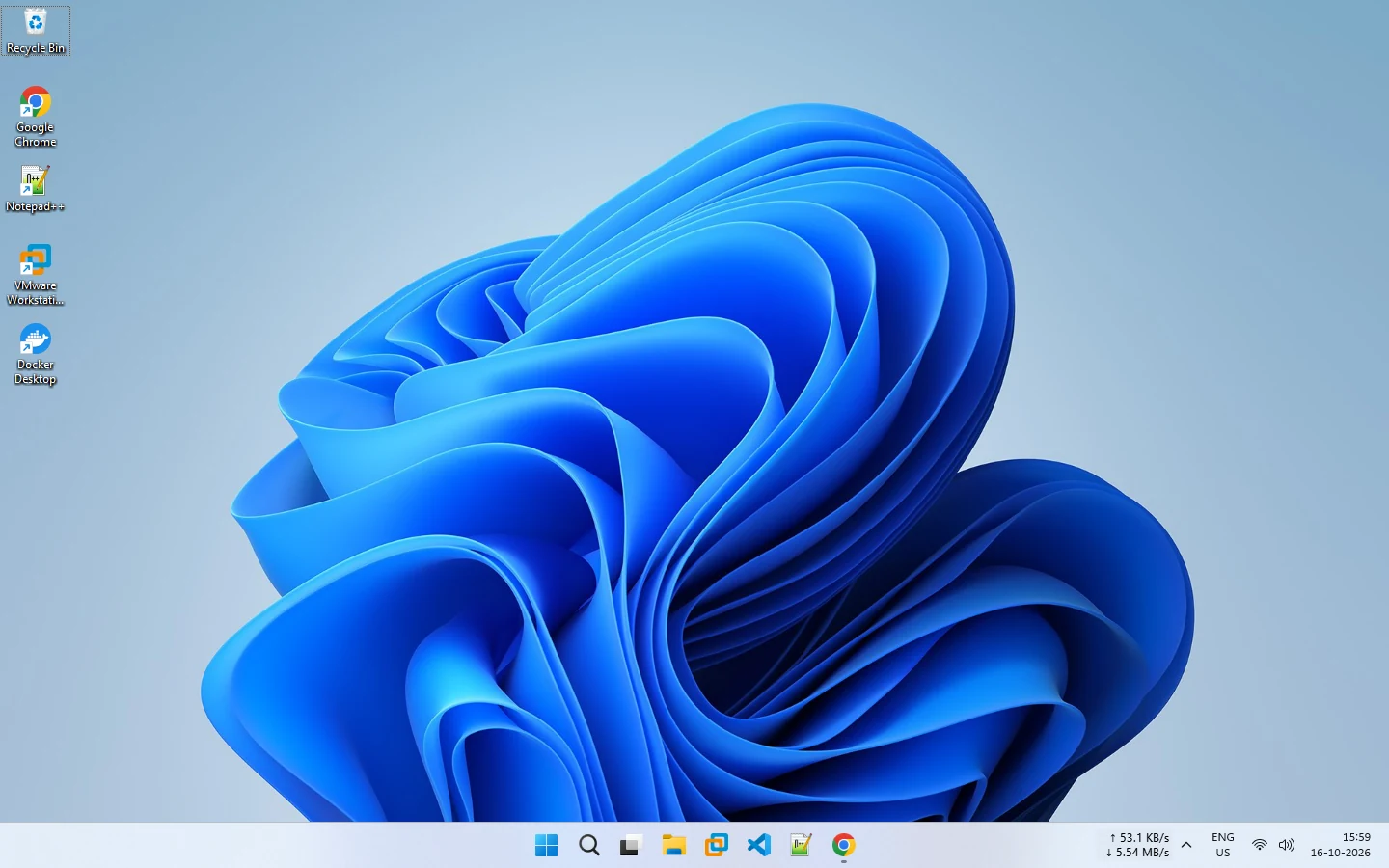
NetSpeedDisplay shows live upload and download speed next to the Windows clock, for free. It uses no test data and makes no network connections. Download it.
Why your net speed is lower than your plan
- Wi-Fi signal or 2.4 GHz band
- Other devices or apps using the connection
- VPN, busy evening hours, or a far-away server
- Mbps vs MB/s confusion (8× difference)
See why downloads are slower than your plan and how to increase internet speed on Windows 11.
Frequently asked questions
What is net speed? Another name for internet speed: download, upload and ping.
How do I check my net speed? Run a speed test. On Windows 11, right-click the network icon and choose Perform speed test.
Is 50 Mbps good net speed? Yes for most homes: several HD streams, calls and gaming at once.
How can I see my net speed all the time? Use a taskbar net speed meter such as NetSpeedDisplay.
Related pages
How to Check Internet Speed on a Laptop or PC (Windows 11 and 10): 5 Easy Ways
How to check net speed on a laptop or PC: Windows 11 Perform speed test, a browser test, Task Manager, Settings data usage, and a live speed meter on the taskbar.
What is a good internet speed?
How much download and upload speed you need for streaming, video calls, gaming and downloads, and how to check what your PC actually uses.
Internet Speed Units Explained: Mbps, MB/s, Kbps and Gbps
Mbps or MB/s? Learn what each internet speed unit means, how to convert between them, and why your 100 Mbps plan downloads at about 12.5 MB/s.
Net Speed Meter for PC and Laptop: Free Internet Speed Meter for Windows 11 and 10
Free net speed meter for PC and laptop. Show live download and upload speed on the Windows 11 or 10 taskbar. No account, no ads, no admin rights. 2.4 MB download.
First published 23 November 2026 · Last updated 23 November 2026. Found a mistake or something out of date? Email [email protected] and we will fix it. See how we write and test content.